Latest
The visual page builder
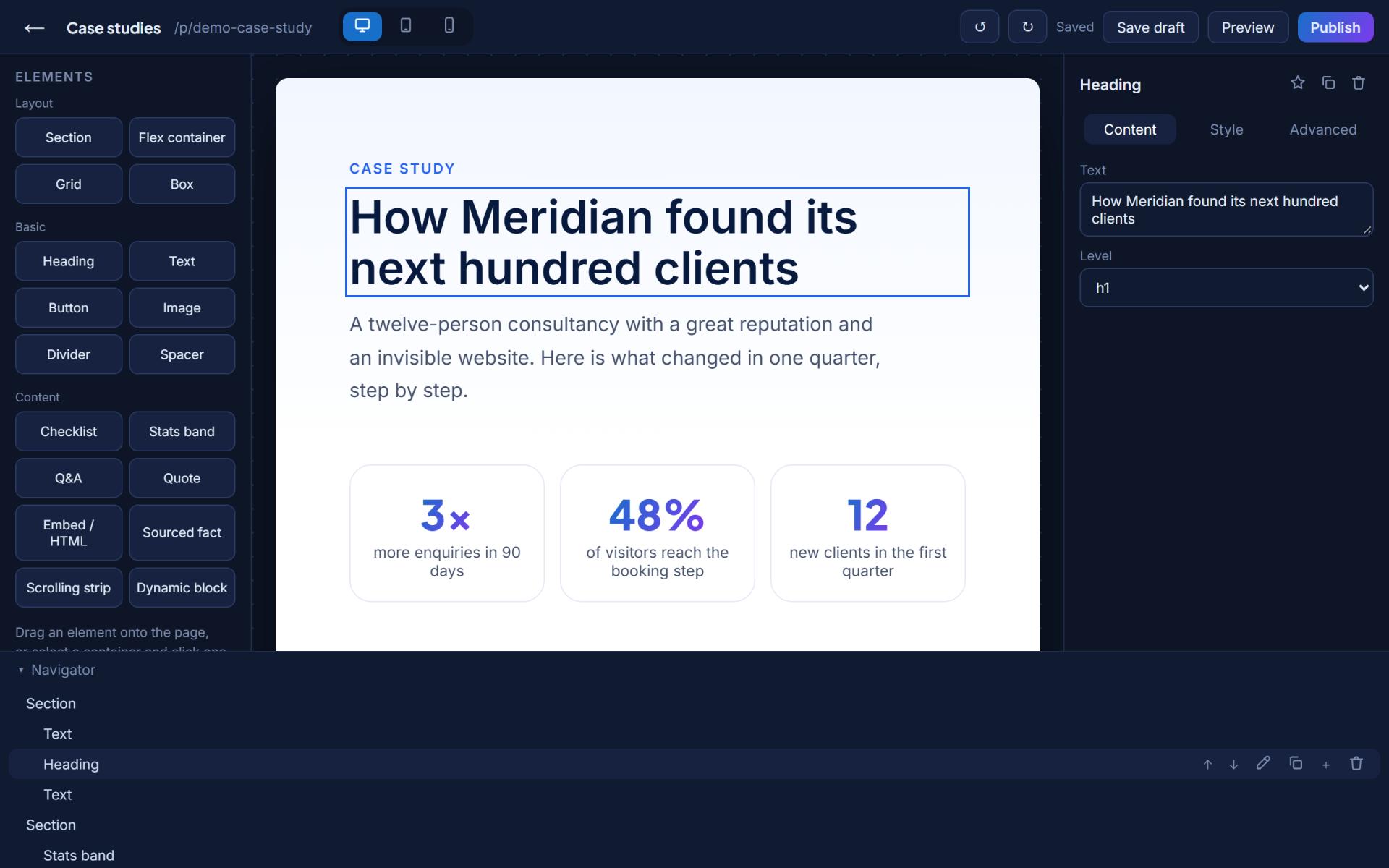
The newest big piece: Pro members build extra pages from drag-and-drop blocks, edited right on the canvas, previewed at phone, tablet and desktop width, with ready-made layouts so nobody starts from nothing.
How we ship
Fast, tested, recorded
Small pieces, shipped the day they're ready. No big-bang releases.
Security, correctness and accessibility reviews run against the live product, and the findings get fixed the same day.
Every change lands here, in plain words. If it isn't written down, it didn't ship.
The log
Everything so far
Scheduling that runs itself
- Visitors can move their own booking to another free time from the link in their email, and you can move any booking from your dashboard. Both sides get the new time and fresh calendar links.
- A new Bookings tab in your dashboard lists upcoming, past and canceled bookings, and lets you mark whether a meeting happened or was a no-show.
- Offer up to three kinds of meeting (an intro call and a full session, say), each with its own length, and ask up to three short questions when someone books.
- Breaks between bookings, several time windows a day, and time off for holidays. Bookings can no longer overlap, even after you change your meeting length.
- Say how you meet (a video link, a phone call or an address), and it goes into the confirmation, the calendar invite and a reminder the day before, sent to both of you.
AI writing that knows your field
- AI suggestions now write the way people in your profession write about their work, using your own numbers, roles and credentials, and never inventing ones you haven't added.
- Available on your headline, story, services, journey, featured work, events and case studies, on plans that include AI writing credits.
Sign-ups open every day
- The weekly limit on new pages is gone. Anyone can create a professional page on any day, with no waiting list.
- Referral links work as before: share yours from Settings and earn 10% of referred subscriptions for a year.
Open beta, and a launch date
- ProSeen is in open beta until the public launch on November 1, 2026.
- During the beta every professional page includes the full Pro plan: client messages, booking, Featured placement in the directory, deeper analytics and your own domain. No card needed.
- At launch, pages without a paid plan move to Free, and nothing you add during the beta is deleted.
Scheduling built in, testimonials that collect themselves
- ProSeen's own scheduler on Pro: set weekly hours, visitors book free slots in their timezone, both sides get confirmations and canceling frees the time. Calendly and Cal.com still work if you prefer them.
- A testimonial request link on every plan: clients write in their own words, you approve with one click, and it lands on your page.
- Pro Opportunities grows up: add prospects you met anywhere and set next steps with dates, so the inbox works as a light pipeline.
- Every member gets a referral link that earns 10% of referred subscriptions for a year, and referred sign-ups skip the weekly cap.
- A special monthly price for Pakistan, applied automatically at checkout.
A homepage that shows instead of tells
- Pick a profession on the homepage and watch the example page rebuild itself for it.
- Testimonials on pages became a center-stage slider; sharing opens a picker for WhatsApp, LinkedIn and more.
- A cleaner pricing page with a full plan comparison, and one-button cancellation in Settings.
Pricing that reads like it means it
- A redesigned pricing page, and a clearer ladder: Free proves it works, Plus makes the page truly yours, Pro turns visitors into clients.
- Card payments through our merchant of record, opening with the public launch.
- One navigation bar and one footer across every ProSeen page.
The visual page builder
- Pro pages gain extra pages built from drag-and-drop blocks: headings, galleries, videos, numbers, cards, questions and calls to action.
- Ready-made starting layouts so nobody faces a blank page.
- Phone, tablet and desktop preview inside the builder.
Affiliates and partners
- The Affiliate Program: 15% of every referred subscription for its first 12 months, with a live affiliate area.
- The Partner Network for communities, schools and organizations, with member benefits and revenue share.
Messages, booking and AI writing
- Pro pages take messages straight from visitors, with your own qualifying questions and an opportunities pipeline.
- A booking calendar on the page via Cal.com or Calendly.
- AI suggestions for your headline, story and services that use only your real facts.
Galleries, videos and your intro
- A gallery with four layouts and a lightbox, a video section, and a personal intro video beside your photo.
- Everywhere media goes, both options: embed a link or upload the file.
The directory learns to search
- Real search with synonyms and stemming, plus filters for place, language, expertise and remote work.
- Profession landing pages, saved shortlists, and a similar-professionals row on every page.
The ProSeen beta opens
- Profession-shaped pages with guided setup, published in about ten minutes.
- Verified credentials, consented testimonials, structured data for Google and AI assistants, and honest analytics.
Being explored
What we're looking at next
Team pages are in beta today; a full Business tier with shared inboxes and team analytics is being shaped.
On November 1, 2026, the plans open for payment, and everything built during the beta carries straight over.
Fairer pricing rails for markets like Pakistan, where a dollar price doesn't mean what it means elsewhere.
Exploring means exactly that: no dates promised until they're shipped and written up above.
Get the news
Product news lands in your inbox
Members can switch on product news in Settings: big changes only, no noise.